Excel Attendance Report Generator
Project Information
- Category: Tools & Modules
- Role: Full-stack Developer
- Technology: .NET Framework MVC, EPPlus, SQL Server
- Project URL: Internal Tool
Project Overview
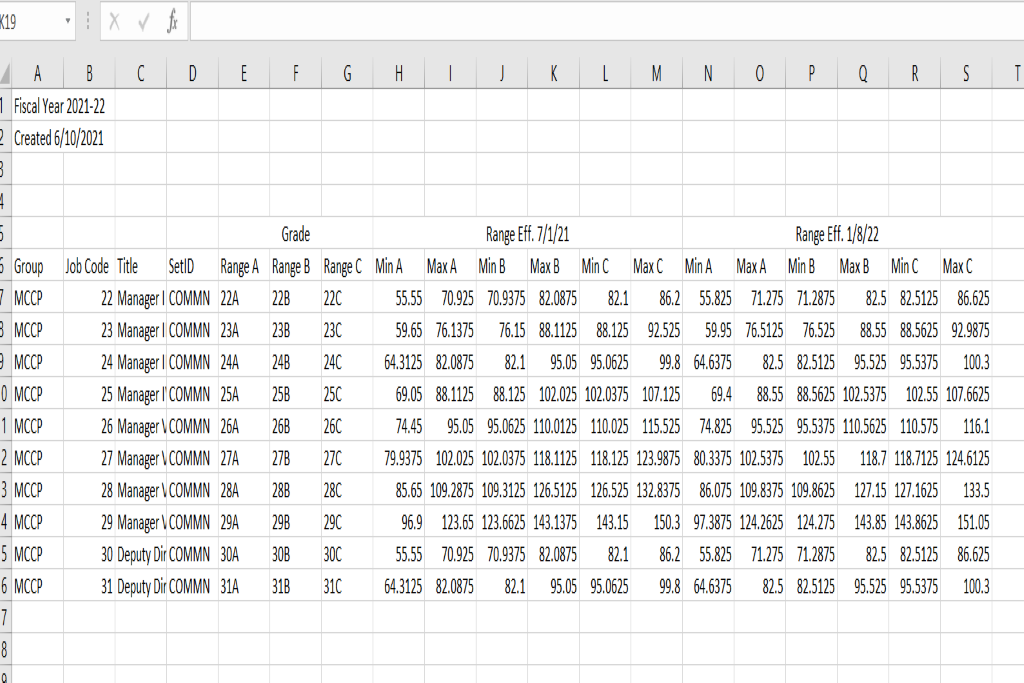
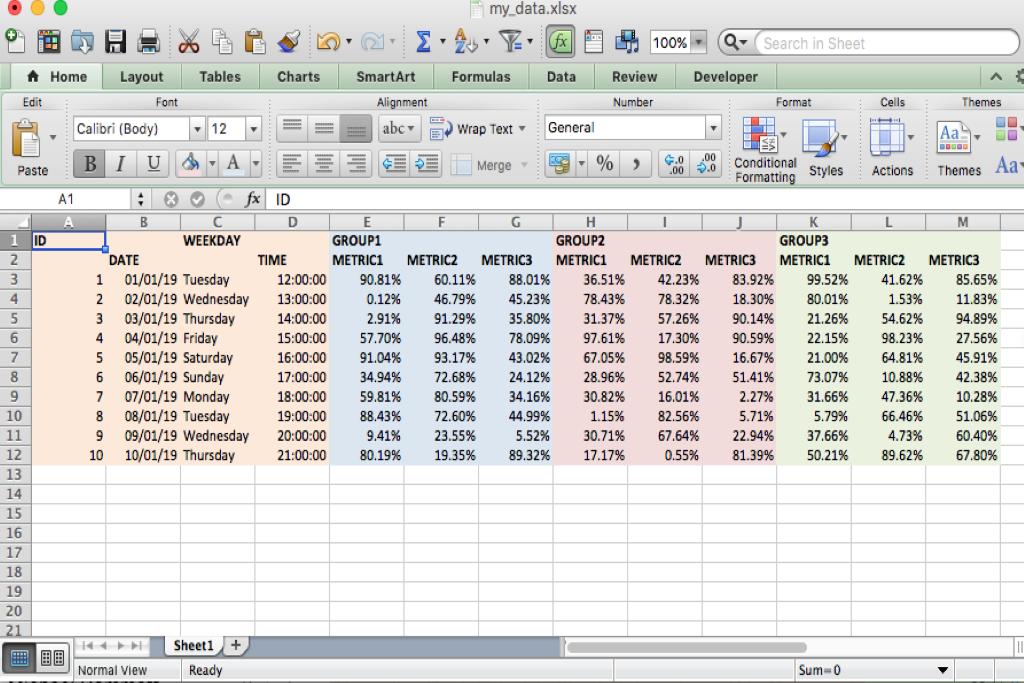
A generalized dynamic data reporting tool designed to extract records from any SQL database table and export them into structured, professionally formatted Excel spreadsheets (.xlsx). Instead of generating flat, single-header tables, the engine dynamically builds multi-level merged headers based on the dataset’s structure (such as date ranges, categories, metrics, or evaluation periods). The total column width and layout automatically expand or shrink based on user-selected parameters, allowing users to analyze complex, multi-attribute data side-by-side per entity without cluttered or repetitive column headers.
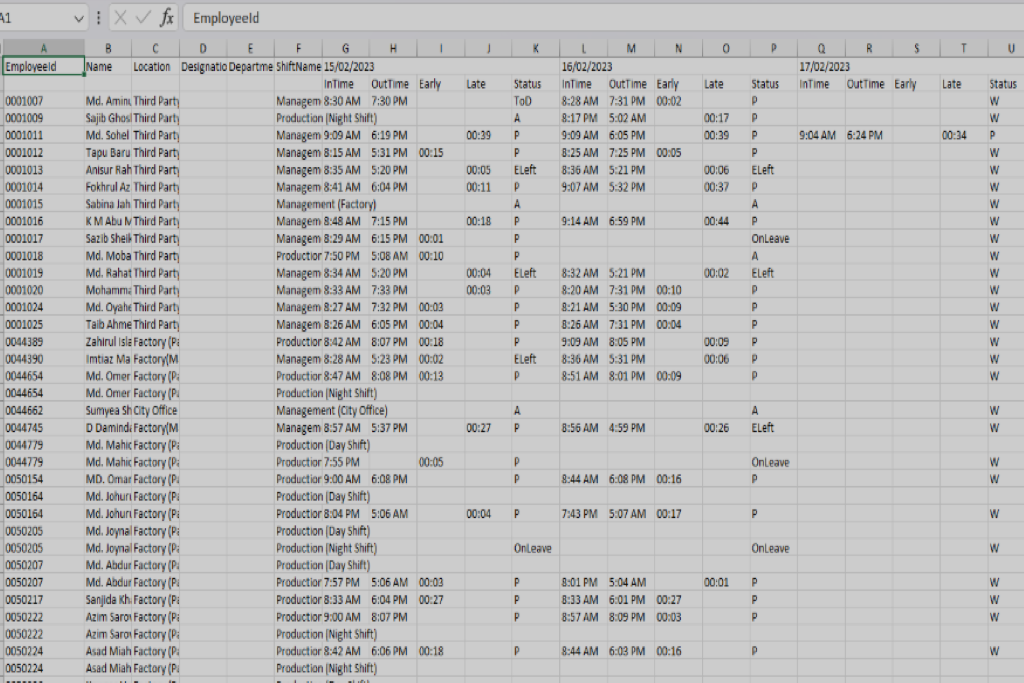
The header structure is generated dynamically based on the From Date / To Date range the user selects — the number of merged date blocks, and therefore the total column count, expands or shrinks automatically to match the selected range, with each employee's row carrying their daily In Time, Out Time, Early/Late minutes, and status (Present, Absent, Weekend, On Leave, Early Leave) underneath the correct date block.
Key Features
Date Range Search
Pick a From Date and To Date, and the report is generated for exactly that window.
Dynamic Merged Multi-Level Headers
The export engine reads the schema or dynamic parameters of the SQL query and automatically builds a hierarchical header structure
Entity-Level Data Breakdown
Every record row maps directly to a primary entity (e.g., Employee, Product, Account, or Item ID) and aligns all corresponding metrics, dates, or grouped attributes precisely under their matching dynamic header block.
One-click Excel Download
The generated report is exported directly as a ready-to-open .xlsx file.
This kind of dynamic column-merging is a common headache in Excel export tools — most reporting libraries make you hardcode column layouts. Building it so the header structure regenerates itself based on whatever date range is picked made the tool flexible enough to handle a single day or a full month without any code changes.